Guide
How to compare Instagram followers between two accounts.
Updated · By the ProfileMira team
The short answer
Instagram does not compare two accounts' audiences for you. Export each public account's follower list, put both in one spreadsheet, and mark the followers that appear in both lists by matching their Instagram user IDs.
Comparing one account's followers with the accounts it follows is a different question, covered in Instagram followers vs following.
Two different comparisons
People mean one of two things when they compare Instagram followers, and each needs a different method:
| Comparison | The question | Typical use |
|---|---|---|
| Two accounts' followers | Who follows both @a and @b? | Competitor audience overlap; checking whether two creators reach the same people before booking both |
| One account's followers vs its following | Which accounts follow each other with @a? | Understanding an account's network: who it follows back, and who follows it without being followed back |
This guide covers the first. For the second, including who doesn't follow an account back, see Instagram followers vs following.
Find the common followers of two accounts
1. Collect both follower lists the same way
Run one Followers extraction for each account. Use the same settings for both: All available on a paid plan, or the same specific amount. Comparing a sample of one account with all of another undercounts the overlap.
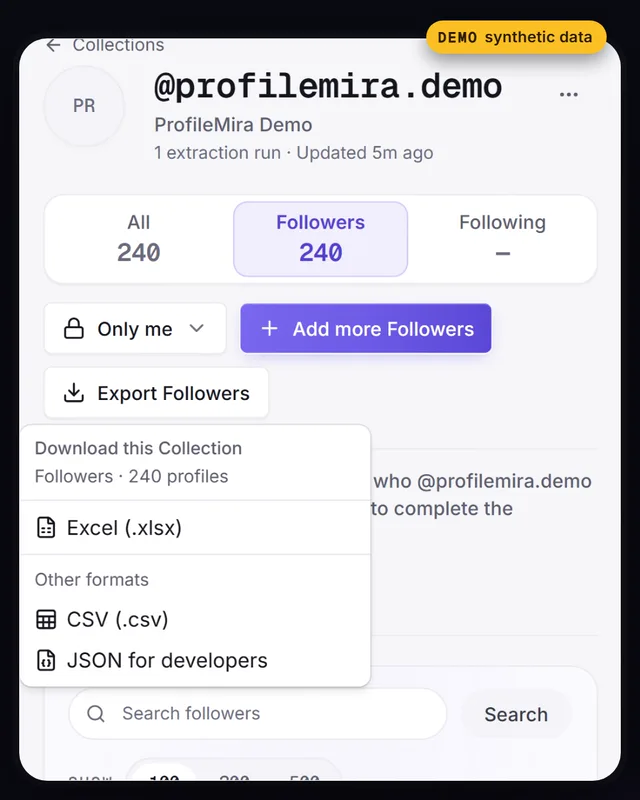
2. Export both as CSV
The CSV has the raw columns, including instagram_user_id in column B. Match on that ID rather than on the username: usernames change, and the ID stays the same.
Excel keeps only 15 digits of a number, and some Instagram IDs are that long. To keep every ID exact, import the CSV with Data → From Text/CSV and set the instagram_user_id column to Text, and do the same for both files.
3. Put both lists in one workbook
Import each CSV into its own sheet and name the sheets A and B. In Google Sheets, use File → Import → Upload and choose “Insert new sheet” for the second file.
4. Mark the followers that appear in both
In sheet A, add a header such as Also follows B in the first empty column, then fill this formula down. It works the same in Excel and Google Sheets:
Sheet A, row 2: is this follower also in sheet B?
=IF(COUNTIF(B!B:B, B2) > 0, "Yes", "No")Then count the shared followers and the size of each list, for example in sheet A, where the new column is I:
Shared followers, and each list's size
=COUNTIF(I:I, "Yes")
=COUNTA(B:B) - 1
=COUNTA(B!B:B) - 1
Filter the new column to Yes to see the shared followers themselves, with their usernames and profile links.
Reading the overlap
Overlap is not one number. Divide the shared followers by each account's list separately, because the same overlap means something different to a large account than to a small one.
| Illustrative example | Followers collected | Shared | Share of the list |
|---|---|---|---|
| Account A | 12,000 | 1,600 | 13% |
| Account B | 8,000 | 1,600 | 20% |
In this example, one in five of B's followers already follows A, while only about one in eight of A's followers follows B. If you already work with A, a campaign with B reaches mostly new people; if you already work with B, A brings an even larger new audience.
A follower list tells you who chose to follow an account. It does not tell you who is active, who engages, or anything about a person's age, gender or location, and ProfileMira does not infer any of that. For profile-level detail such as bios, categories and follower counts, see Instagram audience research.
Limits worth knowing
- Both accounts must be public. A private account's followers cannot be read.
- Lists can be incomplete. The number collected can be lower than the count on the profile, and each extraction reports how it ended (see why an extraction can stop early). An incomplete list undercounts the overlap.
- Exports need a paid plan. The free Trial (1,000 one-time Standard credits) lets you collect and browse the lists; the Excel, CSV and JSON files are included on every paid plan.
- Public information, used responsibly. Use the result within the Terms and the privacy and marketing laws that apply to you.
New to exporting? Start with how to export Instagram followers to Excel.
Does Instagram show mutual followers between two accounts?
- Only relative to you: a profile can show which accounts you follow also follow it. Instagram does not compare the audiences of two other accounts.
Does ProfileMira compare two accounts automatically?
- Not between two accounts: you export both lists and compare them in a spreadsheet, as above. Within one account, the Collection's All view and its Excel export mark each profile Follower, Following or Both; see the followers vs following guide.
Can I compare more than two accounts?
- Yes. Import each list into its own sheet and add one COUNTIF column per other account, then count the rows marked Yes in all of them.
Is ProfileMira affiliated with Instagram?
- No. ProfileMira is independent and is not affiliated with, endorsed by or sponsored by Instagram or Meta.
Compare audiences with real lists.
Start with 1,000 one-time Standard credits. No card required, and no Instagram login.